
How to Improve Speaker Sound Quality – Tips for Better Audio in 2026
Good speakers can transform the way you experience music, movies, and even online meetings. However, many people never hear the true potential of their speakers because of poor placement, weak audio sources, or incorrect settings.
The good news is that you don’t always need expensive upgrades to improve sound. Small adjustments in setup, positioning, and maintenance can make a noticeable difference.
In this guide, you’ll learn how to improve speaker sound quality step by step in detail.
Why Speaker Sound Quality Matters
Good speaker sound quality makes everything you listen to more enjoyable. Clear audio helps you hear voices, music, and sound effects without strain. Whether you are watching movies, playing games, listening to music, or joining online meetings, better sound improves your overall experience.
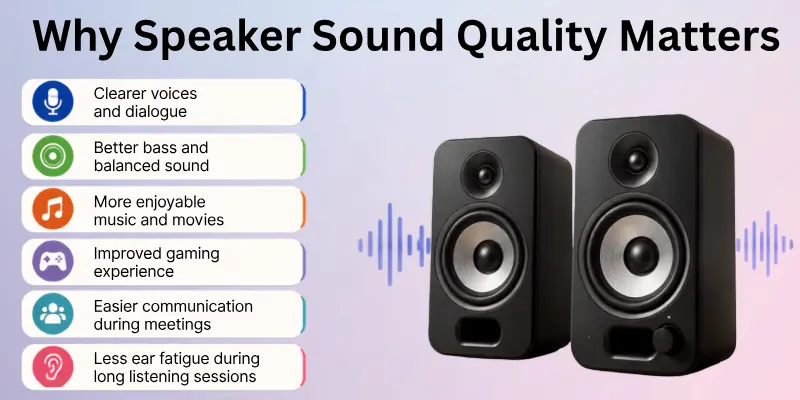
Poor sound quality can make voices hard to understand, cause distorted audio, or produce weak bass. Improving your speaker sound helps you enjoy richer, cleaner, and more balanced audio without always needing to buy new equipment.
Some key benefits of good speaker sound quality include:
- Clearer voices and dialogue
- Better bass and balanced sound
- More enjoyable music and movies
- Improved gaming experience
- Easier communication during calls and meetings
- Less ear fatigue during long listening sessions
How to Make Speaker Sound Better
Below are ten practical ways that can instantly elevate your speaker performance:
- Place Your Speakers Correctly
- Adjust Speaker Height and Angle
- Optimize Room Acoustics
- Use High-Quality Audio Sources
- Check Amplifier Compatibility
- Fine-Tune Equalizer Settings
- Use Wired Connections When Possible
- Clean and Maintain Your Speakers
- Test and Adjust Speaker Position Regularly
- Identify and Fix Common Sound Problems
Let’s look at them in detail.
1. Place Your Speakers Correctly
Speaker placement directly affects clarity, bass response, and stereo imaging. When you push speakers too close to walls or corners, the bass becomes heavy and muddy.
Try placing them a few inches away from the wall and form a triangle between you and the two speakers. This setup helps distribute sound evenly across the room.
- Keep an equal distance between both speakers
- Avoid blocking them with furniture
2. Adjust Speaker Height and Angle
Height plays a crucial role in sound clarity. The tweeters should align with your ear level when you sit in your normal listening position. If speakers sit too low or too high, vocals may sound weak or unclear.
Slightly angle the speakers toward your seating position to improve focus and detail. Even small height adjustments can sharpen vocals and improve overall balance.

3. Optimize Room Acoustics
Your room shape and materials greatly influence how speakers sound. Hard surfaces like tiles and bare walls reflect sound waves, causing echo and harsh tones. Soft materials absorb sound and reduce reflections.
Adding rugs, curtains, or fabric furniture can immediately improve clarity. If you want greater improvements, consider acoustic panels for better sound control.
- Add a rug if you have tiled flooring
- Use thick curtains on large windows
4. Use High-Quality Audio Sources
Even the best speakers cannot fix low-quality audio files. Compressed files remove sound details and reduce depth. Choose high-bitrate audio or lossless formats to get full clarity.
Streaming services often provide high-quality settings—make sure you enable them. When the source improves, you’ll notice cleaner vocals and richer instrument separation.
5. Check Amplifier Compatibility
Speakers perform best when paired with the correct amplifier power. An underpowered amplifier may distort at high volume, while excessive power can damage components.
Always check the speaker’s recommended wattage range before connecting. Balanced power ensures clean output, better control, and longer speaker life.
6. Fine-Tune Equalizer Settings
Equalizer settings allow you to adjust bass, midrange, and treble levels. Instead of increasing everything, make small, careful adjustments.
Too much bass can overpower vocals, while too much treble can sound sharp and tiring. Start with flat settings, then adjust slightly based on your room and music style.
- Boost mids slightly for clearer vocals
- Reduce bass if the sound feels boomy
7. Use Wired Connections When Possible
Wired connections often provide more stable and consistent audio quality than wireless options. Bluetooth compression may reduce sound detail depending on the codec used.
If possible, use AUX, RCA, or optical cables for home setups. For portable use, ensure your Bluetooth device supports high-quality audio codecs.
8. Clean and Maintain Your Speakers
Dust buildup can block sound and reduce clarity over time. Regular cleaning keeps speakers performing at their best. Use a soft, dry cloth to wipe the exterior and gently clean grills.
Avoid moisture and keep cables secure to prevent signal issues. Proper care increases both sound quality and lifespan.
- Check cable connections monthly
- Keep speakers away from direct sunlight
9. Test and Adjust Speaker Position Regularly
After setup, test your speakers using different music styles and volume levels. Walk around the room and listen carefully.
Sometimes moving a speaker just a few inches improves balance dramatically. Make small changes and listen again. Fine-tuning helps you find the sweet spot for your space.
10. Identify and Fix Common Sound Problems
If your speakers sound distorted, weak, or uneven, identify the cause before replacing them. Boomy bass usually means poor placement.
Harsh highs often come from too many reflective surfaces. Weak vocals may require height or angle adjustments. Careful troubleshooting often solves problems without spending extra money.

Common Speaker Sound Problems
Many speaker problems have simple solutions. Before buying new speakers, identify what is causing the issue. In many cases, adjusting the setup or changing a few settings can greatly improve the sound.
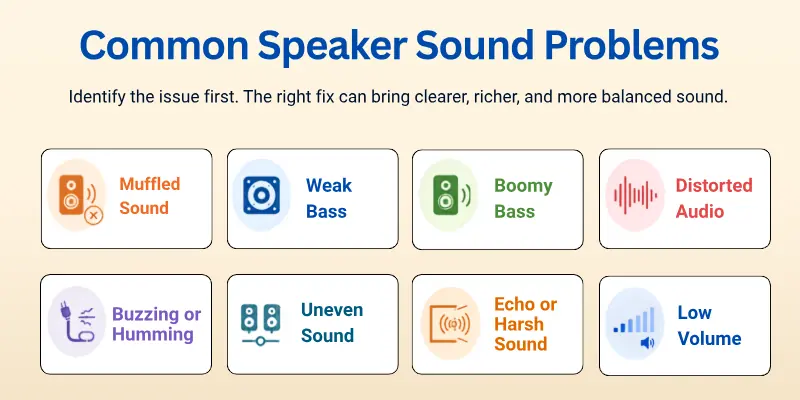
Some of the most common speaker sound problems include:
- Muffled sound: Voices and music sound dull because of dust, poor placement, or incorrect EQ settings.
- Weak bass: Low-frequency sounds lack depth because the speakers are too far from the wall, the bass settings are too low, or the audio source is poor.
- Boomy bass: Bass sounds too strong and overpowers the rest of the audio. This often happens when speakers are placed too close to walls or corners.
- Distorted audio: The sound becomes rough or crackly at high volume because of incorrect amplifier settings, damaged speakers, or poor-quality audio files.
- Buzzing or humming: Loose cables, electrical interference, or damaged wires can create unwanted background noise.
- Uneven sound: One speaker sounds louder or clearer than the other because of incorrect placement, balance settings, or connection issues.
- Echo or harsh sound: Too many hard surfaces in the room reflect sound waves and reduce audio clarity.
- Low volume: Incorrect device settings, weak amplifiers, or damaged cables can prevent your speakers from reaching their full volume.
Once you identify the problem, you can choose the right solution and enjoy clearer, richer, and more balanced sound.
Conclusion
In this article, we’ve covered how to improve speaker sound in detail. From my experience, investing a little time in proper speaker placement and fine-tuning EQ settings makes the biggest difference without spending extra money.
I highly recommend experimenting with your room setup and listening carefully to notice the improvements. Start today, adjust your speakers and enjoy richer, clearer sound that transforms your music and movies.
Helpful FAQs
Here are the answers to the most common queries beginners have, with simple tips to help you get the best audio from your speakers:
Place your speakers away from walls or corners and use an amplifier that matches their power rating. Adjust the equalizer carefully instead of increasing every setting. High-quality audio files also help produce louder, clearer sound.
Yes, speaker placement greatly affects sound quality. Keep speakers at ear level and form a triangle with your listening position. This improves clarity, balance, and stereo sound.
For the best sound quality, use:
- FLAC or WAV files
- 320 kbps MP3 files
- High-quality streaming settings
- Original CDs or lossless downloads
Clean your speakers about once a month. Use a soft, dry cloth and remove dust from the grille with a soft brush or compressed air. Avoid using water or harsh cleaners.
Yes, a compatible amplifier can improve clarity, bass, and overall sound. It also reduces distortion and helps your speakers perform at their best.
Wired connections usually provide better sound quality because they do not compress audio. Bluetooth is more convenient, but using high-quality codecs like aptX or LDAC can improve wireless sound.
Speakers may sound muffled because of poor placement, dust, incorrect EQ settings, or low-quality audio. Clean the speakers, adjust the settings, and use better audio sources for clearer sound.
Yes, room size affects how sound travels. Small rooms can boost bass, while large rooms may need more powerful speakers. Soft furnishings can also improve sound quality.
There is no perfect setting for everyone. Start with a flat EQ, then make small adjustments to the bass, midrange, and treble until the sound feels balanced.
No, avoid placing speakers too close to a wall or corner. Leave some space behind them to reduce muddy bass and improve overall sound clarity.



- Be Respectful
- Stay Relevant
- Stay Positive
- True Feedback
- Encourage Discussion
- Avoid Spamming
- No Fake News
- Don't Copy-Paste
- No Personal Attacks
- Be Respectful
- Stay Relevant
- Stay Positive
- True Feedback
- Encourage Discussion
- Avoid Spamming
- No Fake News
- Don't Copy-Paste
- No Personal Attacks









