
Advantages and Disadvantages of LCD ( Liquid Crystal Display) in 2026
You sit down to watch your favourite series, but something feels off; the colours don’t pop, and the blacks look grey.
Then you remember your friend’s new TV that looked so crisp and bright. What makes the difference? It all comes down to LCD technology.
In this article, we’ll dive into the advantages and disadvantages of LCD, explaining why these screens are so popular and what limitations you should be aware of.
Stay with us to make the best choice for your next device.
Advantages of LCD
LCD technology has become an important part of modern life. People use LCD screens in homes, offices, schools, hospitals, and many other places every day. From televisions to smartphones, LCD displays help users enjoy clear visuals and smooth performance in different devices.
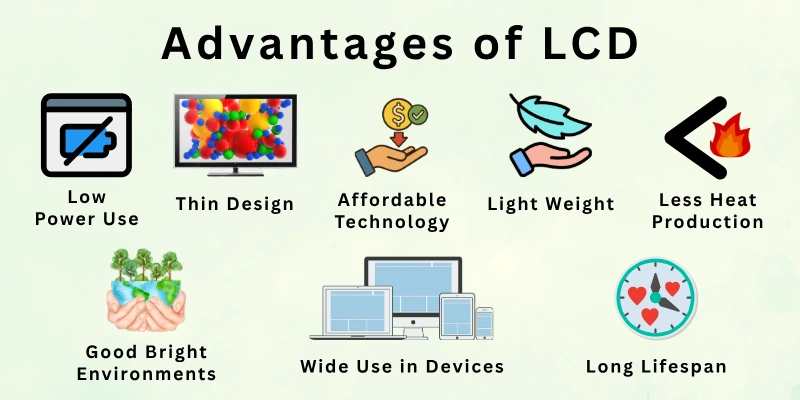
Here is the list of all the advantages of liquid crystal display:
- Low Power Use
- Thin Design
- Light Weight
- Clear Image Quality
- No Screen Burn-in
- Less Heat Production
- Good for Bright Environments
- Long Lifespan
- Affordable Technology
- Wide Use in Devices
Let’s look at all the pros of LCD in detail.
1. Low Power Use
LCD screens use very little power during normal use. This makes them very useful for devices that run on batteries. You can use your phone, laptop, or tablet for a longer time without charging again and again. It also helps reduce overall energy waste in daily life.
This feature is very helpful for both personal and professional users. Offices also prefer LCD screens because they help save electricity costs. It gives stable performance without putting pressure on power systems.
- Helps devices run longer on battery
- Reduces electricity consumption
- Good for mobile and portable gadgets
- Supports energy-saving technology
Did you know? LCD screens are designed to balance performance and low energy use, making them ideal for everyday devices.
2. Thin Design
LCD screens have a very slim and modern design. They do not use bulky parts like older display systems. This allows manufacturers to build stylish and compact devices. It also helps save space on desks and walls.
Because of this slim structure, devices look more modern and attractive. People can easily install or carry them without any trouble. It also improves comfort in small rooms or office spaces.
- Saves physical space in devices
- Makes gadgets look modern and stylish
- Easy to mount on walls or stands
- Perfect for compact setups
Real advice: If you have a small workspace, LCD screens help you keep your area clean and organized.
3. Light Weight
LCD screens are light because they use simple internal parts. This makes devices easier to carry from one place to another. Students and office workers benefit a lot from this feature. It also reduces the pressure on device frames.
Lightweight design makes laptops and monitors more travel-friendly. You can easily move your setup without extra effort. It improves daily comfort and handling of devices.
- Easy to carry anywhere
- Good for travel use
- Reduces device weight load
- Safe for portable work setups
Tip: Choose LCD devices if you travel or shift your setup often.
4. Clear Image Quality
LCD screens show sharp and clean visuals in daily use. Text looks readable, and images appear smooth. This helps users work, study, and watch content without difficulty. It is suitable for long screen time.
Many people use LCD monitors for office and study work. It gives balanced brightness and stable display quality. This makes it comfortable for the eyes during normal use.
- Clear text display for reading
- Smooth video playback
- Good for office work
- Easy on the eyes for daily use
Fact: Most office computers still rely on LCD screens for clear and stable display quality.
5. No Screen Burn-in
LCD technology does not suffer from permanent image marks. Static images do not damage the screen easily. This makes LCDs more reliable for long-term usage. You can leave screens on without worry.
It is especially useful for people who work long hours. The display stays clean and stable even after repeated use. This improves durability and user confidence.
- No permanent screen damage
- Safe for long working hours
- Stable display performance
- Reliable for continuous use
Example: Even if your screen shows a logo for hours, LCD will not leave a permanent mark.
6. Less Heat Production
LCD screens produce very low heat during operation. This keeps devices cool and stable even after long use. It protects internal parts from overheating issues. It also improves device life.
Users can work comfortably without feeling extra heat. It is safe for long study or office sessions. This feature supports better device performance overall.
- Keeps device temperature low
- Protects internal hardware
- Safe for long usage hours
- Improves device stability
Advice: LCD screens are best for offices where devices run for many hours daily.
7. Good for Bright Environments
LCD screens work well in normal lighting conditions. You can easily see content even in bright rooms. This makes them useful for offices, schools, and homes. It helps maintain visibility during daytime use.
People do not need dark rooms to use LCD screens. It supports multitasking and daily productivity. This makes it a practical display choice.
- Works well in daylight
- Clear visibility in bright rooms
- Good for office lighting
- Supports daily productivity
Did you know? Many public display systems still use LCD because of stable brightness control.
8. Long Lifespan
LCD screens are built for long-term use. They can work properly for many years with simple care. This reduces the need for frequent replacement. It makes them cost-effective over time.
Users can depend on LCD devices for daily tasks. It provides stable performance without quick damage. This increases the overall value for money.
- Long-lasting performance
- Fewer replacements needed
- Reliable for daily use
- Good return on investment
Fact: A well-maintained LCD screen can easily last up to 10 years.
9. Affordable Technology
LCD screens are cheaper compared to many advanced display types. This makes them easy to buy for most people. They are available in different price ranges. This helps users choose according to their budget.

Even at a lower cost, LCD still offers good quality. It works well for basic and everyday tasks. This makes it a popular choice worldwide.
- Budget-friendly option
- Available in all price ranges
- Good for basic users
- Widely accessible technology
Tip: If you need a low-cost screen for daily work, an LCD is a safe option.
10. Wide Use in Devices
LCD technology is used in many modern electronic devices. You can find it in TVs, laptops, phones, and more. It is one of the most trusted display types in the world. Many companies still use it in different products.
This wide use shows its reliability and strong performance. It works well for both small and large screens. It remains an important part of modern technology.
- Used in multiple electronic devices
- Trusted by manufacturers worldwide
- Works for all screen sizes
- Reliable display technology
Real advice: When buying daily-use gadgets, LCD devices are still a practical and safe choice.
Disadvantages of LCD
LCD screens also have some limitations that users should understand before buying a device. Even though LCD technology is popular, it may not perform perfectly in every situation. Some users face display issues depending on lighting, viewing position, or screen quality.
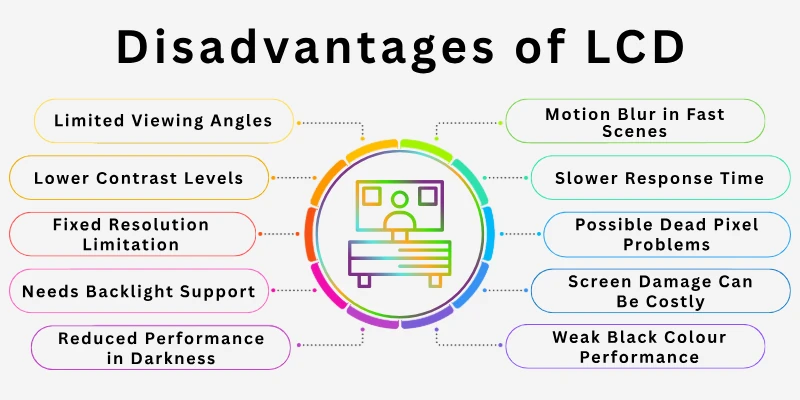
Here is the list of disadvantages of liquid crystal display:
- Limited Viewing Angles
- Lower Contrast Levels
- Motion Blur in Fast Scenes
- Needs Backlight Support
- Fixed Resolution Limitation
- Weak Black Colour Performance
- Reduced Performance in Darkness
- Possible Dead Pixel Problems
- Slower Response Time Than OLED
- Screen Damage Can Be Costly
Let’s cover LCD disadvantages in detail.
1. Limited Viewing Angles
LCD screens may lose image quality when viewed from the side. Colours can look faded or less clear at different angles. This problem becomes more noticeable on older LCD panels. It can affect the viewing experience during movies or group watching.
People sitting directly in front of the screen usually get the best picture quality. However, users on the sides may notice weaker brightness and colour accuracy. This makes LCDs less effective for wide seating areas.
- Side viewing can reduce image clarity
- Colours may appear washed out
- Not ideal for large group viewing
- Better performance from the front angle
Did you know? Modern IPS LCD panels improve viewing angles better than older LCD technologies.
2. Lower Contrast Levels
LCD screens cannot produce very deep black colours. Dark scenes may look gray instead of true black. This reduces contrast quality during movies and games. It also affects image depth and realism.
Many newer display technologies offer stronger contrast performance. LCD still works well for normal use, but users may notice the difference in dark environments. This issue becomes more visible during night viewing.
- Weak, deep black performance
- Lower image depth in dark scenes
- Less cinematic viewing experience
- Dark colours may appear lighter
Fact: OLED displays usually provide better contrast than standard LCD screens.
3. Motion Blur in Fast Scenes
Fast-moving videos may look slightly blurry on some LCD screens. This happens because pixels take time to change colours. Sports and action games may not appear perfectly smooth. Some users notice trails behind moving objects.
Modern LCD screens reduce this issue with better refresh rates. Still, cheaper LCD panels can struggle with high-speed motion. This affects gaming and fast video playback.
- Motion may appear less smooth
- Fast games can show blur effects
- Action scenes lose some sharpness
- Lower-quality panels show more blur
Tip: A higher refresh rate LCD screen can reduce motion blur during gaming.
4. Needs Backlight Support
LCD screens cannot create light on their own. They need a separate backlight system to display images. Without backlighting, the screen stays dark. This increases screen complexity compared to some newer technologies.
Backlights also affect brightness and power usage. If the backlight becomes weak, screen quality may drop. This can reduce overall viewing performance over time.
- Requires extra lighting components
- The screen depends on the backlight quality
- Backlight problems affect display performance
- Increases internal screen structure
Real advice: Keep your screen brightness at a balanced level to help the backlight last longer.
5. Fixed Resolution Limitation
LCD screens perform best at their original resolution setting. Lower or higher resolutions can reduce image sharpness. Text and visuals may look stretched or blurry. This affects display clarity during use.
Users may face problems when changing display settings. Games and videos sometimes lose quality at non-native resolutions. It limits display flexibility in some situations.
- Best quality only at native resolution
- Lower resolutions reduce sharpness
- Images may look stretched
- Limits display adjustment options
Example: A Full HD LCD screen looks clearest at 1920×1080 resolution.
6. Weak Black Colour Performance
LCD screens struggle to display true black colours. The backlight stays active behind dark areas of the screen. This makes black shades appear lighter than expected. It reduces picture richness during dark scenes.
This issue becomes easier to notice while watching movies at night. Users who enjoy deep cinematic visuals may prefer newer display technologies. LCD still handles bright scenes very well.
- Black shades may appear gray
- Dark scenes lose picture depth
- Backlight affects black quality
- Less realistic shadow details
Fact: Local dimming technology helps some LCD screens improve black colour performance.
7. Reduced Performance in Darkness
LCD screens may not look perfect in dark rooms. Light leakage from the backlight can reduce image quality. This affects contrast and viewing comfort during nighttime use. Some users notice uneven brightness on the screen.
Watching movies in complete darkness may highlight these display limitations. Bright parts of the screen can appear stronger than dark areas. This creates an unbalanced visual experience.
- Light leakage may appear in dark rooms
- Uneven brightness can become visible
- Night viewing quality may decrease
- Dark scenes appear less realistic
Tip: Soft room lighting can improve LCD viewing comfort at night.
8. Possible Dead Pixel Problems
Some LCD screens develop dead pixels over time. A dead pixel is a tiny dot that stops showing proper colour. It can remain black, white, or stuck on one colour. This affects screen appearance.
Dead pixels may appear because of manufacturing defects or screen damage. Small issues may not affect daily use, but larger groups can become distracting. Users often notice them on plain backgrounds.
- Tiny dots may stop working
- Screen appearance can look uneven
- Manufacturing defects may cause issues
- More noticeable on bright backgrounds
Did you know? Many manufacturers allow a small number of dead pixels under warranty rules.
9. Slower Response Time Than OLED
LCD screens usually respond more slowly than OLED displays. This means pixels take more time to change during fast movement. Competitive gamers may notice slower visual response in some situations. It can affect high-speed gameplay.

New LCD models continue to improve response speed. However, premium OLED displays still perform faster in motion handling. Casual users may not notice a major difference.
- Slower pixel response speed
- Fast movement may feel less smooth
- Gaming performance can vary
- OLED handles motion more quickly
Real advice: Gamers should check response time before buying an LCD monitor.
10. Screen Damage Can Be Costly
LCD screens can crack or break if dropped or hit. Screen repair often costs a lot of money. In some cases, users replace the entire display instead of repairing it. This increases maintenance costs.
Thin LCD designs also make screens more delicate. Careful handling is important for long-term use. Protective covers help reduce damage risk.
- Screen repairs can be expensive
- Cracks affect display performance
- Thin screens need careful handling
- Damage may require full replacement
Tip: Using a screen protector can help increase LCD screen safety and lifespan.
Tips for Choosing the Right LCD
Choosing the right LCD screen can make a big difference in your viewing experience. Not all LCDs are the same, so knowing what to look for helps you get the best display for work, gaming, or entertainment. Here are some key tips to guide your choice:
- Check the Screen Size: Pick a size that fits your desk, room, or device portability needs.
- Consider Resolution: Higher resolutions give sharper images and more detailed visuals.
- Look at Panel Type: IPS panels offer better colours and viewing angles than TN panels.
- Evaluate Refresh Rate: A higher refresh rate is better for gaming or fast-moving content.
- Brightness and Contrast: Ensure the screen is bright enough for your environment and has good contrast for deep blacks.
- Budget vs Features: Balance cost with the features you need, like colour accuracy, connectivity, and durability.
Future of LCD Technology
LCD technology continues to improve with time. Even though newer display types are entering the market, many companies still use LCD in different electronic devices. Its affordable price and reliable performance keep it important in modern technology.
Manufacturers are working to improve LCD brightness, colour quality, and energy efficiency. As technology grows, LCD screens may become thinner, smarter, and more advanced for everyday users.
- Future LCD screens may offer better colour accuracy
- Companies are improving LCD energy efficiency
- New LCD panels may reduce motion blur problems
- Advanced backlights can improve contrast quality
- LCD screens may become even thinner and lighter
- Budget devices will likely continue using LCD technology
- Many schools and offices may still prefer LCD displays
- LCD production costs may become lower in the future
- Improved LCD panels can support better gaming performance
- Manufacturers may develop more eco-friendly LCD screens
Conclusion
So guys, it’s time to wrap up. In this article, we’ve covered the advantages and disadvantages of LCD in detail.
Personally, I prefer LCDs for long hours of work or study since they reduce eye strain and provide consistent visuals.
While they have some limitations, choosing a high-quality model can give you years of reliable performance. Explore the features that matter most and invest in an LCD that matches your daily use.
Quick FAQs on LCD Pros and Cons
Let’s look at some popular questions related to the LCD advantages and disadvantages:
LCD means Liquid Crystal Display. It is used in many electronic devices like TVs, phones, and laptops. It shows clear images using low power, which makes it very useful for daily life. People use LCDs because it is affordable and reliable. It also fits well in thin and modern gadgets used today.
LCD screens are popular because they give good performance in everyday use. They are simple, energy-saving, and easy to use in many devices.
Key Benefits of LCD:
- Low power consumption
- Thin and lightweight design
- Clear display quality
- Wide use in electronics
These features make LCD a strong choice for students, offices, and home users.
LCD technology has some limits that users should understand before buying a device. It may not perform perfectly in all situations. LCD screens may show weaker black colours and limited viewing angles. Fast-moving videos can also look slightly blurry on some screens.
LCD is still a good option for many users, but it is not the most advanced display technology. OLED gives better colour and contrast, while LED improves brightness.
LCD works best for people who want simple, budget-friendly devices. OLED and LED are better for premium viewing experiences.
LCD screens use less electricity because they manage light in an efficient way. This helps devices last longer on a single charge. They do not need high energy to display images. This makes them ideal for mobile phones, laptops, and other portable devices.
Key points:
- LCD screens work well for normal gaming and video watching
- They show smooth visuals for everyday users
- High refresh rate models give better gaming performance
However, fast action scenes may show slight blur in basic LCD screens. Serious gamers often choose faster display types for better response time.
LCD screens usually last many years when used properly. Most users get good performance for a long time without major issues. A well-maintained LCD screen can last 5 to 10 years. This makes it a reliable option for both home and office use.
LCD screens may develop some small issues over time. These problems are not very common but can affect display quality.
Some users may notice dead pixels, dim brightness, or light leakage. These issues usually happen after long-term use or damage.
LCD screens are used in many places because they are affordable and practical. They are found in TVs, smartphones, laptops, calculators, and digital watches. Offices and schools also use LCD monitors for daily work.
Yes, LCD is still a good choice for many users today. It is budget-friendly and works well for normal tasks.
If you want simple performance for study, office work, or entertainment, an LCD is a smart option. It may not be the most advanced, but it is still very practical.



- Be Respectful
- Stay Relevant
- Stay Positive
- True Feedback
- Encourage Discussion
- Avoid Spamming
- No Fake News
- Don't Copy-Paste
- No Personal Attacks
- Be Respectful
- Stay Relevant
- Stay Positive
- True Feedback
- Encourage Discussion
- Avoid Spamming
- No Fake News
- Don't Copy-Paste
- No Personal Attacks









